
 gb
gb


 Screwdriver
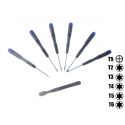
 Set of Tools pack tools
 Professional quality tools range
 Adhesive
 Consumables
 Chargers and similar
 Book and covers
 Frequently asked questions and help
 A few tips
 Shipping - Piece Mobile
 Secure payment to 100%!
 Pay by Administrative Order
 Professional Discount
 Warranties Pieces-mobile.com
 Legal notices for the shop Pieces-mobile.com
 View larger
Videos
Data sheet
| For what type of breakdown? | Typical problems with the main camera: Can not take pictures in classic mode. The phone indicates a camera error during startup. |
More info
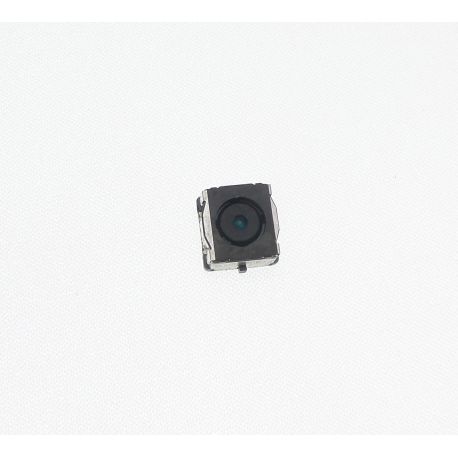
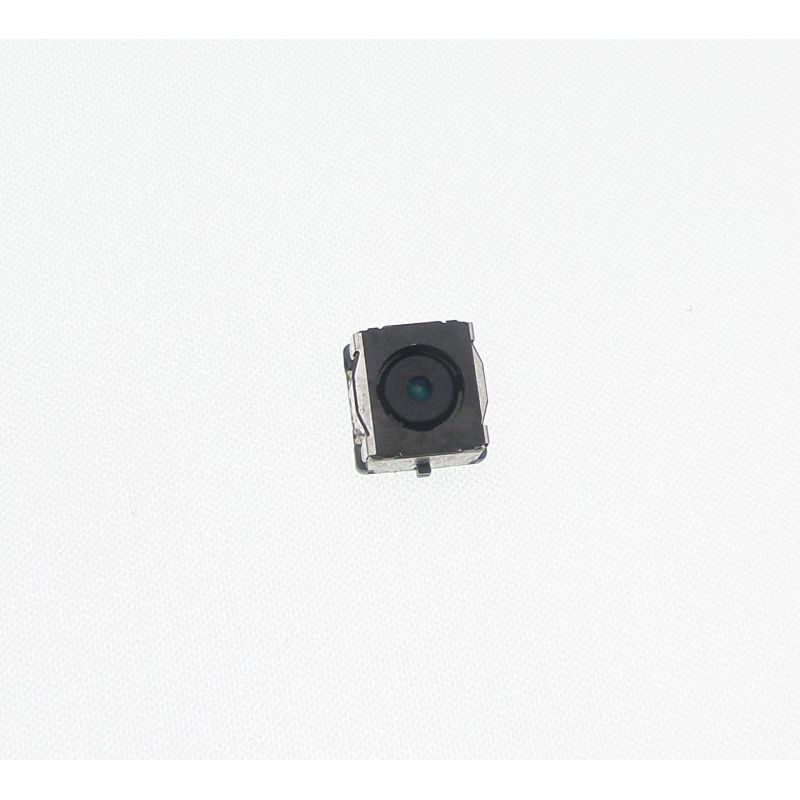
Change the camera back to the Nokia Lumia 520 < /.H2 >
The rear camera of the Nokia Lumia 520 has a resolution of 5 Megapixels and allows you to record videos in 720p@30fps.
The your Nokia Lumia 520 camera.facilities > no longer works properly or the pictures blurred? You can no longer enter video footage with the < stRong >your Lumia 520 camera < /.strong >? You have to replace it with another similarly quality.
The technicians of room-mobile offer this tutorial to explain How to replace the rear camera to your Nokia Lumia 520 < /.strong >. You will find all the tools you need for disassembly in our set of special tools Nokia Lumia 520 or in our set of special tools compatible Nokia all models < /stRong >.
Remove the battery from the Lumia 520
- Before proceeding to the disassembly of your Lumia 520
make sure your Smartphone is turned off. Stay press the power button to turn it off.
- Using your plastic spatula, remove the back cover of your Lumia 520
. You can now place and access to the battery.
- PurchaEZ your plastic spatula to pry on the your Lumia 520 battery and remove it from its housing.
- This is! You can now retrieve the < stRong >your Nokia Lumia 520 battery. Don't forget especially also to remove the SIM card and the card of their locations.
Removal of the internal chassis < /.H3 >
- Using your torx screwdriver, remove the 8 screws which fix the internal frame of your Lumia 520 to the < stRong >block screen (LCD + touchscreen)
.
- Insert your spatula plastic between the internal frame (cache on the motherboard) and the < stroNG >full screen of your Lumia 520
. PRY gently to separate these two parties. < /li >
- Now, the internal chassis of your Lumia 520
or the protection of the motherboard cache is ready to be filed.
Replace the rear camera Lumia 520 < /.H3 >
-
Remove the faulty rear camera on your Nokia Lumia 520 using your pliers of precision. < /div >
-
Once filed, you can replace it with another new available on our store < strong >room-mobile at an affordable price.
-
You want to back up your NokiaLumia 520 ? Pas de panique ! Suivez notre guide de réparation dans l’ordre inverse.
Accessories
- Before proceeding to the disassembly of your Lumia 520
make sure your Smartphone is turned off. Stay press the power button to turn it off. - Using your plastic spatula, remove the back cover of your Lumia 520
. You can now place and access to the battery. - PurchaEZ your plastic spatula to pry on the your Lumia 520 battery and remove it from its housing.
- This is! You can now retrieve the < stRong >your Nokia Lumia 520 battery. Don't forget especially also to remove the SIM card and the card of their locations.
- Using your torx screwdriver, remove the 8 screws which fix the internal frame of your Lumia 520 to the < stRong >block screen (LCD + touchscreen)
. - Insert your spatula plastic between the internal frame (cache on the motherboard) and the < stroNG >full screen of your Lumia 520
. PRY gently to separate these two parties. < /li > - Now, the internal chassis of your Lumia 520
or the protection of the motherboard cache is ready to be filed. - Now, the internal chassis of your Lumia 520
Replace the rear camera Lumia 520 < /.H3 >
-
Remove the faulty rear camera on your Nokia Lumia 520 using your pliers of precision. < /div >
-
Once filed, you can replace it with another new available on our store < strong >room-mobile at an affordable price.
-
You want to back up your NokiaLumia 520 ? Pas de panique ! Suivez notre guide de réparation dans l’ordre inverse.
Accessories
Remove the faulty rear camera on your Nokia Lumia 520 using your pliers of precision. < /div >
-
Once filed, you can replace it with another new available on our store < strong >room-mobile at an affordable price.
-
You want to back up your NokiaLumia 520 ? Pas de panique ! Suivez notre guide de réparation dans l’ordre inverse.


Accessories
Delivery Date
Order before 14 h
for delivery between 22/10 and the 25/10/26
Approximate date using Suivi GRATUIT moreInfo